The Sum of the Whole is Greater Than its Parts: A Field Guide to Molching

As the students move towards the end of this year’s collaboration in the Idea Hive, Clarence and I presented our students with the book they wrote together, while living 2 700 km apart. A Field Guide to Molching came into being after we read aloud, via Skype, Markus Zusak’s novel, The Book Thief. Set in the fictional town of Molching, Germany during Hitler’s reign, it’s the story of a little girl’s relationship with her foster parents, friends and neighbours. Filled with humour and heartbreak, the story is told from Death’s point of view.  It opens with a train headed for Molching, the death of Liesel’s brother and a track-side funeral. We knew our students would fall in love with the characters. They did. At the end of the story, the students didn’t want to leave Liesel, Rudy, Max, Rosa, Hans, and Frau Holtzafel – they were connected. Clarence and I chronicled the journey throughout the year.

So what if we traveled to the fictional town of Molching? What would “A Field Guide to Molching” look like? To help them visualize it, Clarence and I showed our students online travel guides. They determined the most relevant people, places and events to write about if  touring this town.

Using Google Docs and its chat room, students signed up for the writing topic of their choice in a google doc. Clarence and I dropped in and out of each chat room doc to give feedback and advice if needed. When we needed advice on the use of images from that era, Rodd Lucier (@thecleversheep) provided guidance. As a final step, the 84 page document was uploaded and published at Lulu.com.

By the end of this event, students had learned much about the arduous writing process. I was reminded of the line, “The sum of the whole is greater than its parts.” That’s the big picture. It’s not about marks or report cards. It’s about helping students develop their collaborative learning and shared writing skills. It’s that simple, and that complex.

This week students were presented with the hard copy of “A Field Guide to Molching”. While Clarence and I had planned to Skype during the presentation, Skype had other plans (not) and it wasn’t meant to be. So with our Twitter connection, Clarence and I decided to go ahead. Even though we had told the the students this was the goal, their shock and joy was evident. After receiving their books, students posted their reactions on a web 2.0 tool they’ve become quite comfortable with – linoit. Many of the comments posted focused on how proud the students are of their work and how much they enjoyed writing together with new friends living so far apart.

I feel like an author and it feels good. We should have this book published. I bet people would buy it when they buy the real book to get to know about the town Liesel lives in.  Tanner M.

While we were writing the books there were disagreements and different opinions but at the end everyone was happy and the book turned out good. 😀   Heaven

We should so do something like this again next year for all of the Gr.7s going into Gr.8. I think we should give Mr. Zuzak a tweet about this, see what he thinks!  Tyler P. (great idea  – we’re working on that, Tyler!)

I’m so glad we actually finished… I’m a real writer!  Hailey

If I was ever given the chance to read that book again I would never let it down.   Justin S.

It makes me understand how many hours of hard work it actually takes to accomplish something. One of the things that i enjoyed the most was when we got to think of the ideas for the book and we got to talk to each other in the chat room.  Riley

One of my experiences that was everlasting was the feeling of being very important. Sometimes during the book I would close my eyes and think how good the story was. It was one of the best books that was ever read to me.  Sully

Sully, right back at you!  This has been one of the best teaching experiences that I’ve had the pleasure of being involved in.  Clarence and I have shared this story with Markus Zusak through his Twitter and Facebook account.  With any luck, the Idea Hive student authors will hear from the author who inspired them.

Facebook Book Club: Engaging Intermediate Readers

As spring rounds the corner, most intermediate students take on a new focus, which often does not include classroom work.  So it’s important to find activities that keep these adolescents engaged in their learning.  As a result, Marc Westra, from Brussels P.S., and I have introduced our students to the “Facebook Book Club”.

Last term, Marc’s intermediate class and mine completed a collaborative book club using VoiceThread, which I wrote about in a previous post.  With the year-end approaching, we wanted something equally engaging, but with a change.  Our classrooms are located 11 km. apart so we needed a tool that allowed communication and collaboration between our students’ group.

I had previously read about the Facebook idea from other educators and it seemed like fun.  Marc and I decided to have each book club set up one shared Facebook page for the protagonist in their novel.  On a weekly basis, each student will post a comment in the voice of the protagonist, as a friend, and add a reply to a comment.  In addition, they’ll add all the necessary “Personal Information” as they became that character.  Students are encouraged to customize their pages as they add extras such as video links or quizzes.

Some versions I have come across use an online tool (Fakebook, Fake Convos) or a Google Presentations template.  While the Presentations template is easier for the students to change, it lacks the sidebar “chat room” available in a Google Doc.  To me, the chat room is necessary as students discuss, plan and create together.  Other Google Docs templates I’d come across were broken into several documents.  Because this is a group activity where students are at different schools and communication is limited, I thought it easiest to keep the Facebook page as one doc.  The template I created is flexible, yet provides enough guidelines for those students who don’t have a Facebook page.  It’s important to remember that not all parents allow their children to use Facebook, so these students needed a completed example.  With this in mind, I created an example Facebook page, featuring my pet cat!

Today Marc and I introduced the project to our students via Skype.  As per our previous book club, we let the students choose their books after spending some time reading bits of each.  To start, we shared the Facebook Club doc which includes the outline and rubric.  This doc also includes the links to the template doc and the example.  During the skype call, Marc and I took turns explaining the project.  At first, I wasn’t sure how it was going over – the kids were speechless.  However after they had some time to digest the idea and muck around in the two shared docs, they were thrilled.  Those students who don’t have Facebook accounts looked a little nervous, but soon they were hooked as well.

Since Marc’s students didn’t have access to computers at their school today, I didn’t want to proceed too quickly into the project.  My students were asked to post an image of the protagonist in the collaborative doc.  In the next few days when the groups “meet” again in the doc, students can discuss and agree on the image and some of the “personal information”.  I have stressed with the students the importance that all group members work towards an agreement on some of the initial page information, and not “take over” the Facebook page doc.  “The process is just as important as the product.”

This project will take us to the end of the school year.  Based on the excitement displayed by the students today, reading is a task that they should enjoy with renewed focus!

Connecting Students with Online Book Clubs & VoiceThread

Part of my language arts program is the incorporation of student led Book Clubs (similar to Literature Circles). Over the past year however, the process has lost its luster for the students and I. But kids are social, and they learn best with each other.

After one of my discussions about the benefits of our ongoing Idea Hive classroom collaboration, my school superintendent suggested creating a collaborative project with a teacher new to the process in our board.  With that in mind, and the need to start my students into book club, VoiceThread (VT) was a good tool to use with Marc Westra’s intermediate class from Brussels P.S., located 11 km. away.

After sharing our sets of novels with both classes (another benefit of collaboration), Marc and I created the groups based on student’s book choice. We designed a project outline and rubric, and aimed for an equal number of members from each school (groups of 4 or 5). On day 1, students met via Skype to say hello and share a very brief prediction about their novel.  Using a shared Google doc, members created a reading schedule and assigned a member responsible for uploading the week’s image.

On a 5-day cycle, students read their agreed upon pages and recorded their rough notes (useful for ensuring the students were on track). They recorded on day 4, and listened and reflected on day 5. This continued for a 5 week period. While assessing their work and providing feedback, I’d look over their rough notes before listening to their recordings.  It was clear there was value using VT beyond the usual benefits of student collaboration.

As the weeks progressed, the nervousness began to disappear and students’ oral communication skills developed. Some of the fast-speaking, nervous student slowed down and confidently supported their opinions.  Instead of answering only questions posted by their classmate group members, they addressed those asked by members from the partner school. Those students who initially didn’t take the recording seriously, improved as presenters of information, after listening to members who “raised the bar” so to speak.  As the process continued, their nervous giggles diminished, and they clearly cared about how they sounded.

I suggested to those students who tended to summarize instead of discussing theme, to re-listen to specific member’s previous recordings for a great examples. Without VT, the alternative would have been to ask that member for their written notes and reread them.  Would they do this?  Not likely.

Students who struggle with writing, particularly spelling, sounded insightful and articulate in their recorded posts.  Written text didn’t strangle their thoughts.  Students elaborated and clarified details left out of their rough written notes.  When I didn’t have to struggle with poor handwriting or conventions in order to understand my students, only listen to their voice, I realized the true power of this tool.

Students recognize the advantage of book clubs as they gain deeper understanding from other group members.  When asked to reflect on using VT in order to work with another school, they had some pretty insightful opinions.

A:  What are the advantages of using VT to work with members from another school?

– if a member is sick, they don’t miss the meeting.  They can post the next day, and listen to what we said in our recordings.
– since you don’t talk to your partner during the week, they can’t spoil the book for you if they read ahead.
– makes reading more exciting by “meeting” people we’ll be going to high school with.
– it’s more challenging, but fun.

B:  Disadvantages

– can’t ask clarifying questions right away.  We can email them, but sometimes we don’t hear back right away.
– if our schedules change, the person responsible for uploading the image that week might not have done it when we’re ready to record (so we do it).
– we don’t know them well enough so I worried that if I was critical, they might think I was being mean.
– sometimes the member didn’t edit their recording, so you couldn’t hear it very well.

C:  Aside from learning different points of view, how did using VT to listen to your members’ comments help you with your learning?

– I could re-listen to the recording and add what they said to my notes.  Sometimes I just don’t want to bug people to keep repeating what they’ve said when I don’t understand at first.
– students don’t want to sound bad when they record, so they practice what they say before they record.  They sound clear in their post; there’s no stuttering like there sometimes is when you talk to people.
-we learned a new presentation strategy.

D:  What would you do differently if using VoiceThread again for Book Club?

– the day after listening, go back and look for the recording of a group member who was away on the scheduled day. Not only because there might be something important, but it would be nice for those students who were away to have the feeling that their work matters just as much as everyone else’s (Jadyn’s comment is a gem!)
–use the webcam to record so you members can see your expressions.

E: How can we improve the process?

-start the post next week by first clarifying any misunderstandings you heard the week before from other members, or your own.
-have a mini-discussion with our class member before recording so you can fix any misunderstandings first.

The students are keen to repeat the process with different books and new partners.  So, with their advice, we’ll make a few changes to the process.
–  provide students with a graphic organizer to make note of any misunderstandings and highlight who missed the “meeting” so they can listen the next day.
– structure student time for a mini f2f meeting with their class member.

Using VoiceThread to create collaborative school-school book clubs helps students developed skills in reading, oral communication, collaboration and problem solving.  Listening while assessing their work was a true pleasure.

And Marc’s thoughts on this experience?

This was a learning experience for all of us. The students felt responsible to their group to keep up (rather than the usual fleeting, “oh well”) and made a more concerted effort to keep up. One of the biggest successes was the fact that those students who could not get work completed at school could work from home.

The learners were very excited about the experience of working with students they didn’t know as they were able to learn about different sets of experiences and background knowledge. If provided with the opportunity to be a part of another experience this again, they would prefer more frequent SKYPE calls to clarify meaning in real-time to elaborate on ideas and opinions.

Overall this was a great learning experience for all of us: I was able to offer my learners an experience using technology that focussed on their strengths (oral communication by recording their ideas) rather than their weaknesses. The students became competent in a program (VoiceThread) they can choose to use again in other subject assignments.

Diigo Groups for Student Collaboration

Diigo is one of the most useful Web 2.0 tools I’ve discovered in the last year.  It’s a virtual filing cabinet where I store all my useful links.  A few months ago, I introduced this valuable tool to my grade 7/8 students.  In a previous post I wrote, “Diigo is an excellent tool that enables students to bookmark, tag, highlight and annotate their online text, which can be accessed anywhere, anytime.  This annotated text can be privately or publically shared with other students or groups, depending on their settings.”

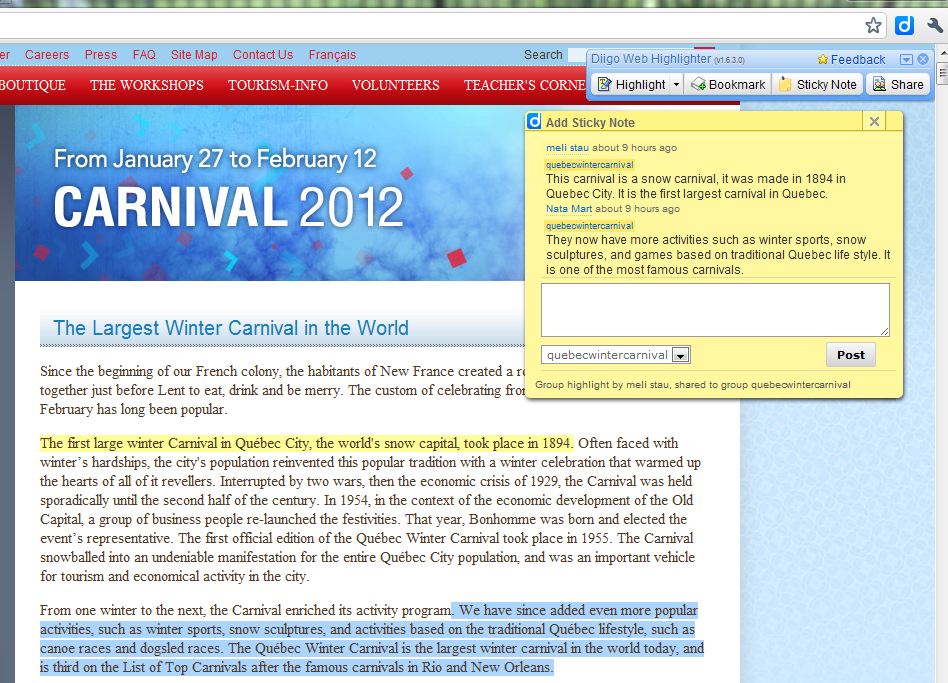
We use Google Chrome as a browser, so we installed the Diigo extension for Chrome on each netbook. For the first few months, students became fluent on how to virtually bookmark, highlight, and rewrite the text in their own words on the sticky note.  This week I introduced them to the benefits of using Diigo Groups as a collaborative research tool.  While we started with a simple in-class group project, the tool will become most valuable when students work with peers outside our classroom walls.

I’d played around with this part of the program briefly, but I wasn’t totally comfortable with it.  I knew however, my students would help me and each other along the way.

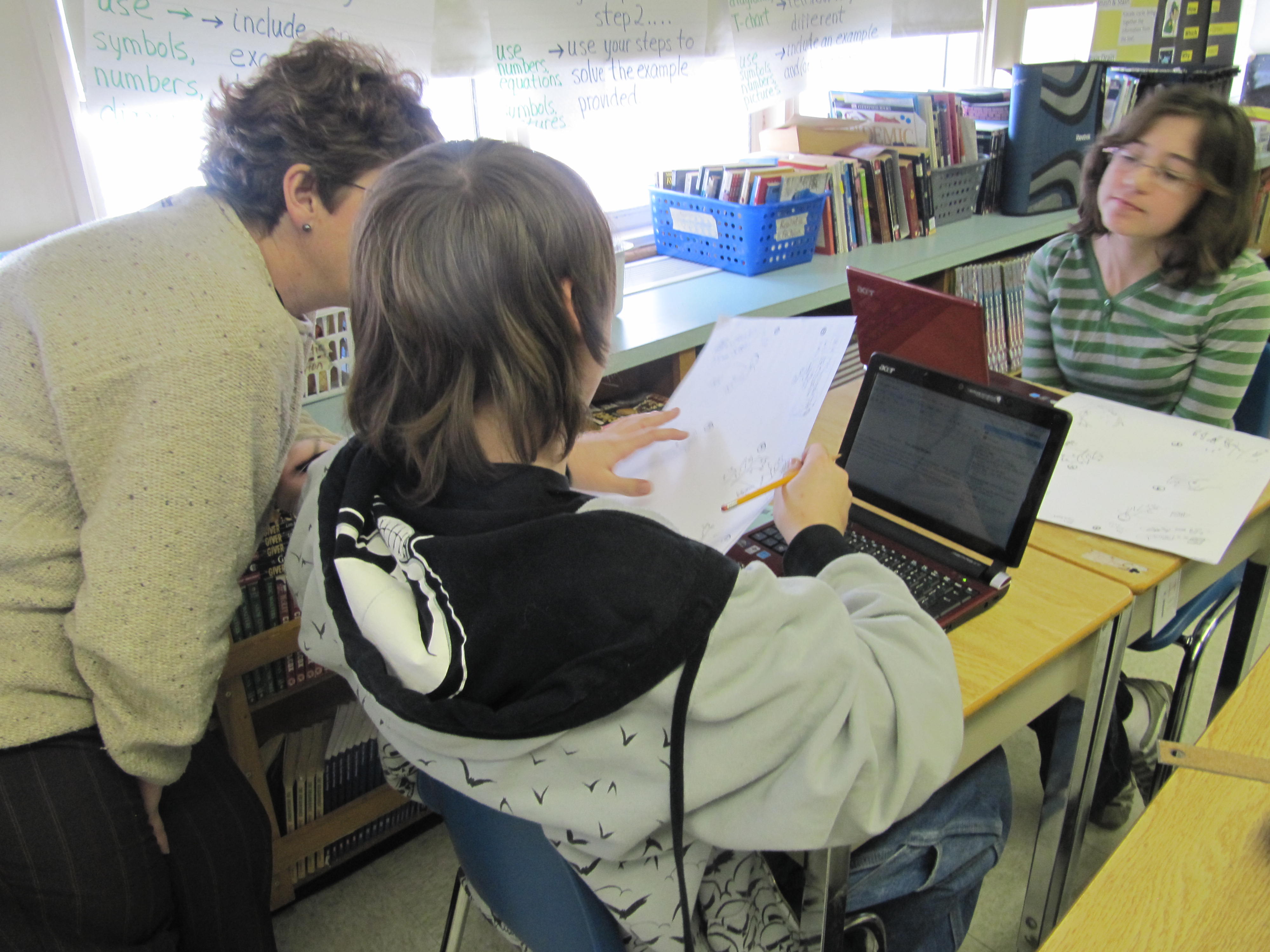
Demonstrating on the Smartboard, I first showed my students how to create a group, including privacy settings.  Sitting beside their project partner, one member created the group, and then invited their partner and me into the group.  An important note, especially for small-screen, netbook users, is that students need to move around the screen to find the “Invite People” button.  After some stumbles and about 30 minutes, all groups were set up.

Diigo allows students to start a “topic” discussion within their group.  This is useful for students to communicate questions or next steps. We spent the last part of the class “playing” with this section.

Students then discovered the truly collaborative value of Diigo as they shared annotations on the stickies and text highlights. To begin, students highlight the relevant text in a chosen colour.  Using the sticky note, they re-write that section in their own words. When their group members open the shared link, every group members can see each other’s highlights and sticky note.  They can also see these highlighted notes and stickies in their Diigo library before opening the link.  All group members can add text to the same sticky note as they clarify, question, and extend their thinking.

To demonstrate once again on the Smartboard, I shared and tagged a link with one of the student groups. I highlighted some text and paraphrased it on a sticky note.  After we all clicked on the big blue D in the top right corner of the screen (very important step), and my group members refreshed their page, my text highlights and sticky note appeared on my group members’ screens.  They could add to my sticky note discussion.  I really like this feature as students help each other find the important details in the online text.

Before moving student groups onto their own projects, they had to show me that they could each annotate and highlight text, and it had to appear on both group member’s computers.  Some students complained that they could not see their partner’s highlights or stickies.  It turns out the student had not originally tagged the link or saved it to their group.  That lead into a comparison of how an untagged link is like some of the desk in the classroom – unorganized.

The next step is to use Diigo as a collaborative research tool with students in another school.  I’m glad before doing so, that I took the time to have my students discover the Group settings sitting beside each other, rather than expecting them to do it with someone outside of the classroom.

Before the class ended, I asked the students if they saw any value in the process. The response was clear.  “We’re better organized” and “We can see what each other has already done”. I asked them what the next step in the writing process would be. Students planned to cut and paste their sticky note text into a shared Google doc.

Later in the day as the class students moved onto an independent research project, one of my students asked, “Hey, Mrs. D., can we use Diigo for this too?”  My response was evident by the grin on my face.

Word Shakers in the Idea Hive

In his TEDGlobal talk, Where Good Ideas Come From, Steven Johnson uses the term, “liquid network” to describe a learning environment where innovation and deep thinking happens. He describes it as “kind of chaotic where ideas are likely to come together, where people were likely to have new, interesting, unpredictable collisions – people from different backgrounds. We take ideas from other people and we stick them together in new forms to create something new.”

The Idea Hive recently created their own “liquid network” in a shared writing project. The Idea Hive is a year-long collaboration connecting Clarence Fisher’s students in Snow Lake, Manitoba with my students in Wingham, Ontario. In previous posts, we’ve described the Skyped read aloud, backchannel and virtual bulletin board process that connects us daily as we journey through the novel, The Book Thief.  At this point, we’ve reached the story within the novel called “The Word Shaker”. This illustrated fable is written and presented by the Jewish character Max, to the young German protagonist, Liesel. The story mirrors the use of propaganda by Hitler. In Max’s story, a young girl (“the Word Shaker”) is encouraged to fight words of hatred with words of love.

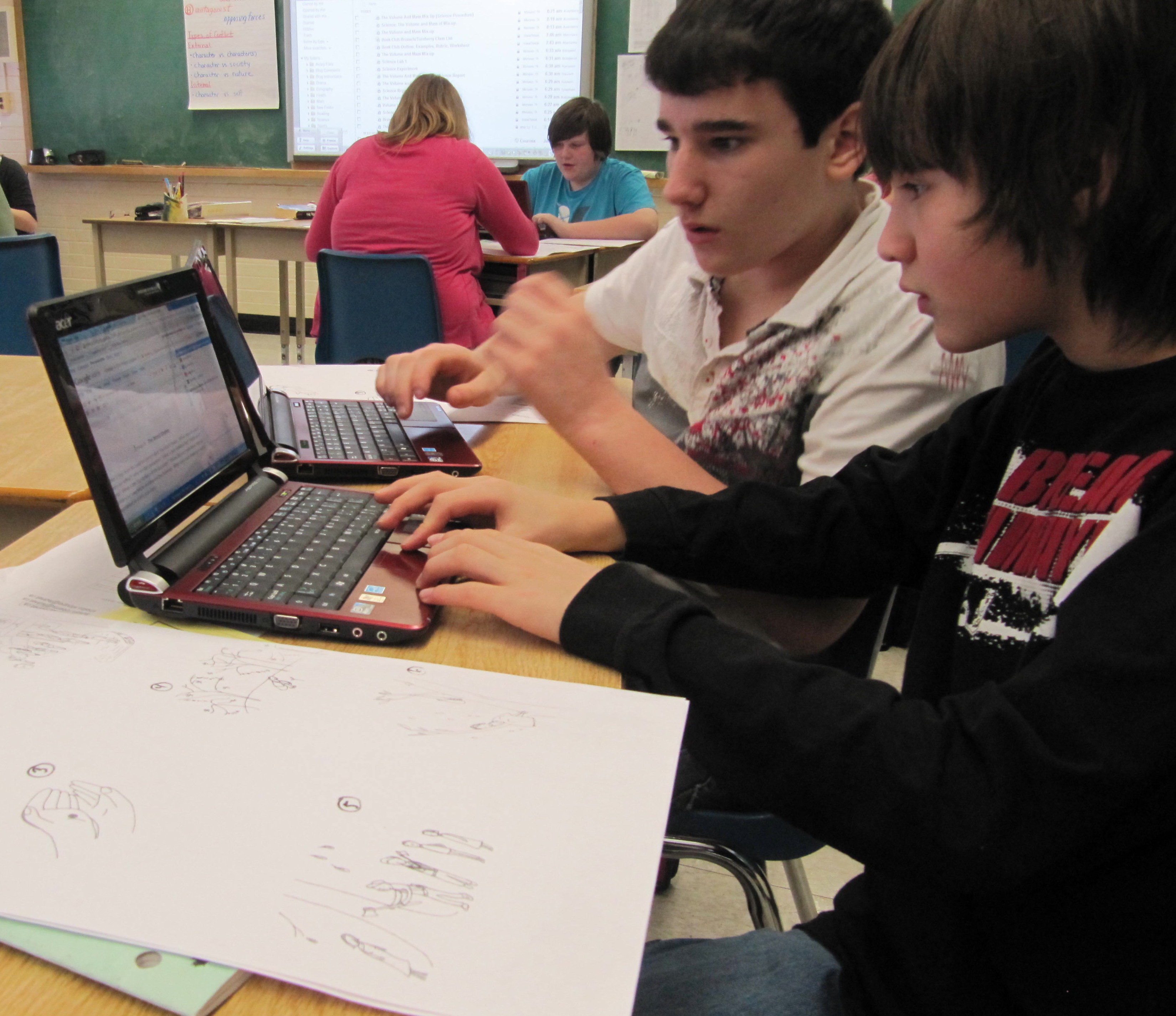
After being given copies of the 11 images only from the fable (no text), students in the Idea Hive were asked to work together to predict the story Max had written. Each group (2 students from Ontario, 2 from Manitoba) used a shared Google doc and the sidebar chatroom to communicate and create their story.

During the 45-minute work periods, the room was completely silent as students participated in their group’s chat room, formulating plans to be transferred by the agreed-upon “recorder” into the document. After the first work period, Clarence and I each had a discussion with our own students about the process. Students loved the high rate of participation by most group members. They engaged in debate, synthesis and cooperation. They had fun. Frustrations due to technical troubles were similar at both ends. This highlighted the fact that collaborative skills (inclusion, wait time) were even more important when working only with text.

Avery is excited and proud to tell the principal about the shared writing activity he's working on in the Idea Hive with his partner here in Ontario and two others in Manitoba.

The students’ level of engagement in the following days spoke for itself. The silence in the classrooms continued as students actively “chatted” in their groups. On day three and four,  students who were home sick joined their group online in order to participate in the project.

As students wrote, Clarence and I dropped in and out of the 11 chat rooms, offering quick suggestions or asking a few questions. We watched the story document develop while the brainstorming and discussion carried on in the chat room sidebar. Clarence’s description – “mesmerizing”.

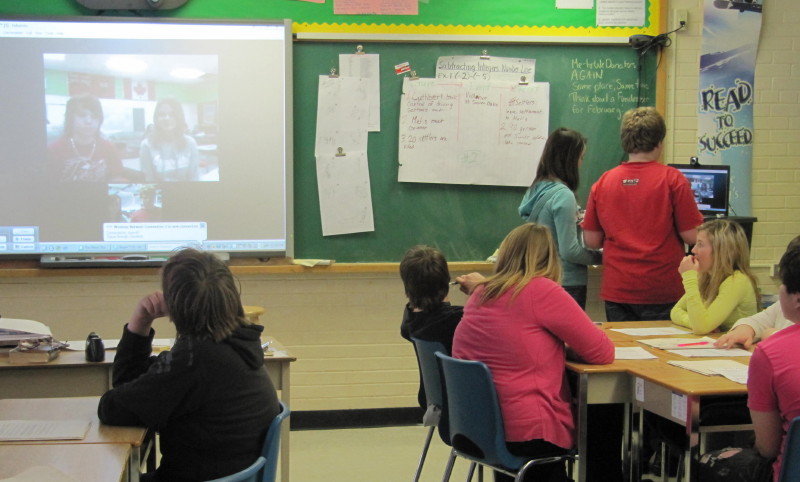
Once the groups finished writing their interpretation of Max’s story, the groups presented together some of their images via Skype to the Idea Hive class, then posted their finished work on their blogs (click on student names below to view group stories).

So, other than creating a story, what did the students learn?

Student reflection….

While chatting with others via computer, I learned….

….to slow down and be patient.  Not all of us think alike and we work at different speeds.  …to stay cool with someone and not be annoyed, because you never know what could be going on with the people on the other side. Tyler

…to really think before we typed to avoid sounding like we were singling out one of our partners, or that we thought our way was the only way. … to go with others and give them a chance.  Our story wouldn’t have turned out as good if we didn’t include our partners’ ideas. Kori

…that if someone is going off track then you shouldn’t follow.  In fact, you shouldn’t be afraid to tell them to get back on track.  Brad

….it was easier to talk on Skype after talking in the chatroom, because I felt I already knew them.   Nataja

…to ask more questions.  Alyssa

…that it’s important to start the chat by socializing with your partners.  Trevor

…that I want to do this again because I like interacting with people I don’t know.  Our story was better than the one I would have created on my own.  Ethan

…that working this way changes your way of thinking.    Justin

These students have learned lessons far beyond those outlined in the curriculum. They are displaying skills that any 21st century employer seeks.

Innovation often happens in unlikely, unpredictable ways. Creating opportunities for our students to learn in this “liquid network” help to lead our students in completely different pathways they’d never thought of. Across 2 700 km, students used the power of words to collaboratively developed an understanding of the importance of words. In a text-only collaborative process, they themselves became “The Word Shakers”.

The Value of a 365 Photo Project

As we close out 2010, I added the last image to my 2010/365 photo project. While it took a serious commitment to keep it going, the process ensured I’d focus on at least one interesting or unique moment of every day. After uploading each image to Flickr, I’d often write a description and post it to my 2010 in Pictures blog. My family and students have come to view this project as part of who I am. In class, my students think nothing anymore of the many pictures I take throughout the day, and they often ask, “Is that going to be your picture of the day, Mrs. D.?” They enjoy the many images I share with them of my life outside of the classroom. Because of this project, they’ve learned about farming, flying and canoeing. My students know all of our pets by name. They know me.

Looking back on this year’s summary of events, I’m reminded of some of the wonderful and fascinating moments I experienced with my students. Little things, like the story Jadyn and Hailey wanted to share with me about their friendship. Delightful moments, like teaching my students how to podcast, while wearing pajamas. Making friends via Skype with students in Virginia and Manitoba. Emotional images, reminding me of the funeral of a fallen officer, an important member of our school community. Endings, as my grade eight students graduated and moved onto high school. New beginnings as I welcomed my new students in September.

I had seriously considered discontinuing the project this year, thinking I’d run out of ideas. But after reviewing my completed project for 2010, I’d be crazy not to keep it going. Many of those images were unexpected pleasures in my day. And with my poor memory, I don’t want to forget a thing!

And so begins 2011/365 photo project. I wonder what today’s picture of the day will be?

View below or click here for faster slideshow.

Staying Connected Through Snow Days

Living in Huron County, Ontario offers many advantages – great agricultural land and lovely beaches, to name a few.  However, due to the strong and cold northwest winds blowing over the relatively warmer waters of Lake Huron, we get hit hard with whiteout snow conditions.  Buses are cancelled and schools and roads are closed.  While the first few “Snow Days” are exciting, the novelty soon wears off.  Fortunately, some students willingly take advantage of being connected with various web 2.0 tools to keep up with previously assigned tasks.  How do we respond to those who won’t or can’t?

All students in my class have access to internet at home and their own Google Apps account which includes email.  During these snow days, several students have stayed connected to me and their peers through email, and posting comments on the class wiki and Idea Hive blog.  They were clearly concerned about their upcoming Christmas concert and assignment.

Before the snow hit, I had assigned the students a science research project.  After discussing the outline and “sharing” all relevant documents online, they spent two periods in class working the research.  Students created Google docs which were shared with me.  On our first snow day, I sent an email to the students and their parents, encouraging students to work on the project so I could post feedback on their documents.  As expected, during the snow days that immediately followed, there was little activity in their docs.  When we got back to school after snow day #3, we had a discussion about expectations if the stormy weather returned.  Students knew they were to continue working independently from home, and I would provide feedback in their docs along the way.

By snow day #5, about a third of the class had taken hold of the task, and were near completion.  The rest of the students had done little or were M.I.A. I continued to send emails to all students, providing next steps and posting feedback to those moving forward.  Today, as we move into snow day #6, I can see there will not be any more class time available for this assignment due to other fundraising and Christmas concert activities that must be completed in the next two day.  In January, we have to move on to a new science unit.  The students were made aware of these facts through another email.  What is the fairest way to deal with those who will have completed the assignment versus those who either chose not to read their emails and work, or, perhaps couldn’t?

Through this messed up schedule, my Idea Hive teaching partner, Clarence Fisher, and his students in Snow Lake, Manitoba, patiently wait for our return. Clarence generously listened and made suggestions on how to fairly address my concerns regarding the science assignment.   While the advantage of having technology is that students can still work, it doesn’t mean they will.  It’s also impossible to know if their internet connections are even working.  Ultimately, it’s up to the students to complete the assignment, so they’ll have the extra time over Christmas break to do so.

Even though we can extend support to our students through web 2.0 tools when school closes, factors such as initiative, independence and questionable internet connections are a reality.  On a positive note, Google Apps and blogs are excellent tools that have enabled me to provide feedback and have some enjoyable “chats” with my students during the last six snow days.

It is kind of ironic that while Clarence and his students are the ones from the great white north, with “remote access“, I’m the one not able to drive out my laneway.  How fortunate I am to have the ear and support from my “close” teaching partner, only 2 700 km away!

Using Diigo in the Middle School Classroom

One of my goals this year was to teach my students to use Diigo.  With a focus on inquiry-based learning, my students do a lot of digital reading, and collaborate within and outside of the classroom.  Diigo is an excellent tool that enables students to bookmark, tag, highlight and annotate their online text, which can be accessed anywhere, anytime.  This annotated text can be privately or publically shared with other students or groups, depending on their settings.  In addition, Diigo allows my students to make more efficient use of their time by accessing similar sites from other Diigo users with shared interests.

While Diigo offers education accounts, I chose to have my students set up their own accounts.  As these students move on to high school next year, it’s important they carry their virtual filing cabinet with them.

I began the class by showing an introductory video, followed by a tour of my own Diigo library and network.  Next, my students set up their own accounts using their school appointed email address, username and password.  Within minutes, they had figured out how to follow me (“I’m creepin’ you Mrs. D!”).  Imgine that, students wanting to see what the teacher is planning!

Once my students had added each other as followers, I directed them to my “responsibility” tag in my Diigo library.  Using various web 2.0 tools, each student will be creating a biography on an activist of their choice who demonstrates this trait.  Rather than post the introductory link on the class wiki, Diigo saves time as I can bookmark the site once, and direct my students where to find it.  Once they had saved the specified site into their library, they spent some time surfing through the site, highlighting text and writing sticky notes.  It’s important to let students “play” and discover when learning a new tool.

The students love it.  “No more mess of papers that I can’t find.  Everything for my project is here”.  They were excited, and were planning out their next steps.  “Summarize the text on the sticky note, copy my “jot” notes into a Google Doc to edit, and post the final project on my blog.”

My next step is to have students create their own groups as we move into shared readings and collaborative projects.  Within these groups, they can set up a topic and have discussions, similar to a running a chat room.  Bill Ferriter, a 6th grade teacher, shares a wealth of social bookmarking uses in his wiki, Digitally Speaking.

My students recognize Diigo as a tool they can use to collaborate and share, improving their productivity and learning.  They’ve taken another step as they develop their digital footprint.

Reaching Back: The Value of Blogging in Middle School

Today I suddenly realized one of the most important reasons why our students should blog – to stay connected to their peers.  While I’d always thought the primary value of a student blog was to reflect and connect with others outside of the classroom, today, the value of connecting from within became very clear.

One of my grade 7 students deals with Asperger’s disorder.  Due to issues with bullying, his parents moved from the big city to our small-town community, hoping that he’d have a more peaceful life in school.  He has.  My students quietly understood, accepted him, and made sure he was included in all activities.  It was beautiful to watch the grade eight boys convince him to play football.  Sweet.  During independent writing time, when the room was dead silent, he sometimes angrily spoke into his microphone while using Dragon Dictate.  “I said SCRATCH THAT!”  The grade 8 girls, sitting near him just smiled and kept working.  No dirty looks.

Last week, very abruptly, this student’s family moved from this community, a small village with a population of less than 1000, back to the big city (population in the millions).  While I certainly understand his parents’ reason for moving, it doesn’t dull the anxiety I feel for him as he moves back into a rotary system, his computer and scanner stored in a resource room.

Today, less than a week after his move, my former student blogged about the differences between his old and new home.  It’s clear he misses his old life, and is reaching out to his former peers.  From afar, we’ll encourage him to share the positives of his new school community.

I often thought of blogging as a way of helping students reach out to others.  While this student doesn’t have Facebook or a cell phone, he does have a blog that he set up in my classroom.  He is using his blog to reach back to us and maintain some social interactions.  I am so thankful he is still connected to us, and we to him.

~dip

Securing the Connection

As we end our third week of the shared read aloud of The Book Thief, it’s clear the students in Ontario and Manitoba are supporting each other in their learning.  Today as I read via Skype, Clarence participated in the backchannel discussion.

Good prediction @Jason/Jordan     Heaven/Jessica at 11:47 AM

@Heaven/Jessica, Thank you. What do you think will happen?     Jason/Jordan at 11:49 AM

Liesel has an overactive imagination.     Alex & Juli at 11:55 AM

Agreed @Alex & Juli !  Hailey; Melissa! ☺ at 11:56 AM

and my favourite…

It was like you were here reading with us Mrs. D     Alex & Juli at 12:03 PM

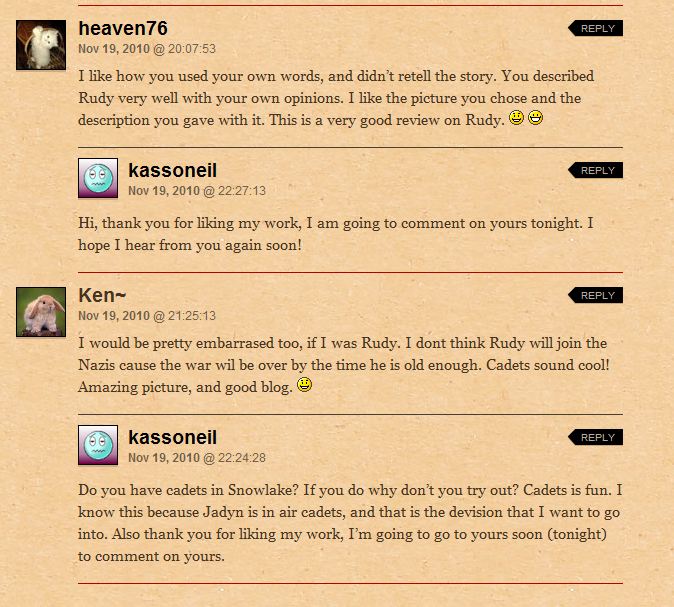
Following this activity, the students posted comments on the linoit wall and each other’s blogs.  Students then checked their incoming comments, and as time ran out, some promised to reconnect tonight.

Kassie’s Blog

Across this 2 700 km link, Clarence and I are developing relationships with each other’s students as we comment on their blogs. Reading into the computer microphone to all the Idea Hive students,  my classroom takes on a new feel.  We are larger, stronger, more connected.

Tonight, I have a deep sense that we are truly becoming one. The Idea Hive is growing closer.

@Alex and Julie, I felt like I was with you today too!